Context-Aware URL Triggers
Show different tours on different pages
Overview
Linear mode
By default TourKit runs in linear mode — all steps show on every page, once per visitor. One seen flag applies across your entire site.
Context-aware mode
When any step has a Trigger URL, TourKit switches to context-aware mode. Each page gets its own focused tour and its own seen flag.
| Setup | Behavior |
|---|---|
| No steps have Trigger URL | Linear mode — all steps on every page, one seen flag |
| Any step has Trigger URL | Context-aware mode — each page gets own steps |
| Steps without Trigger URL | Root only — shows on / |
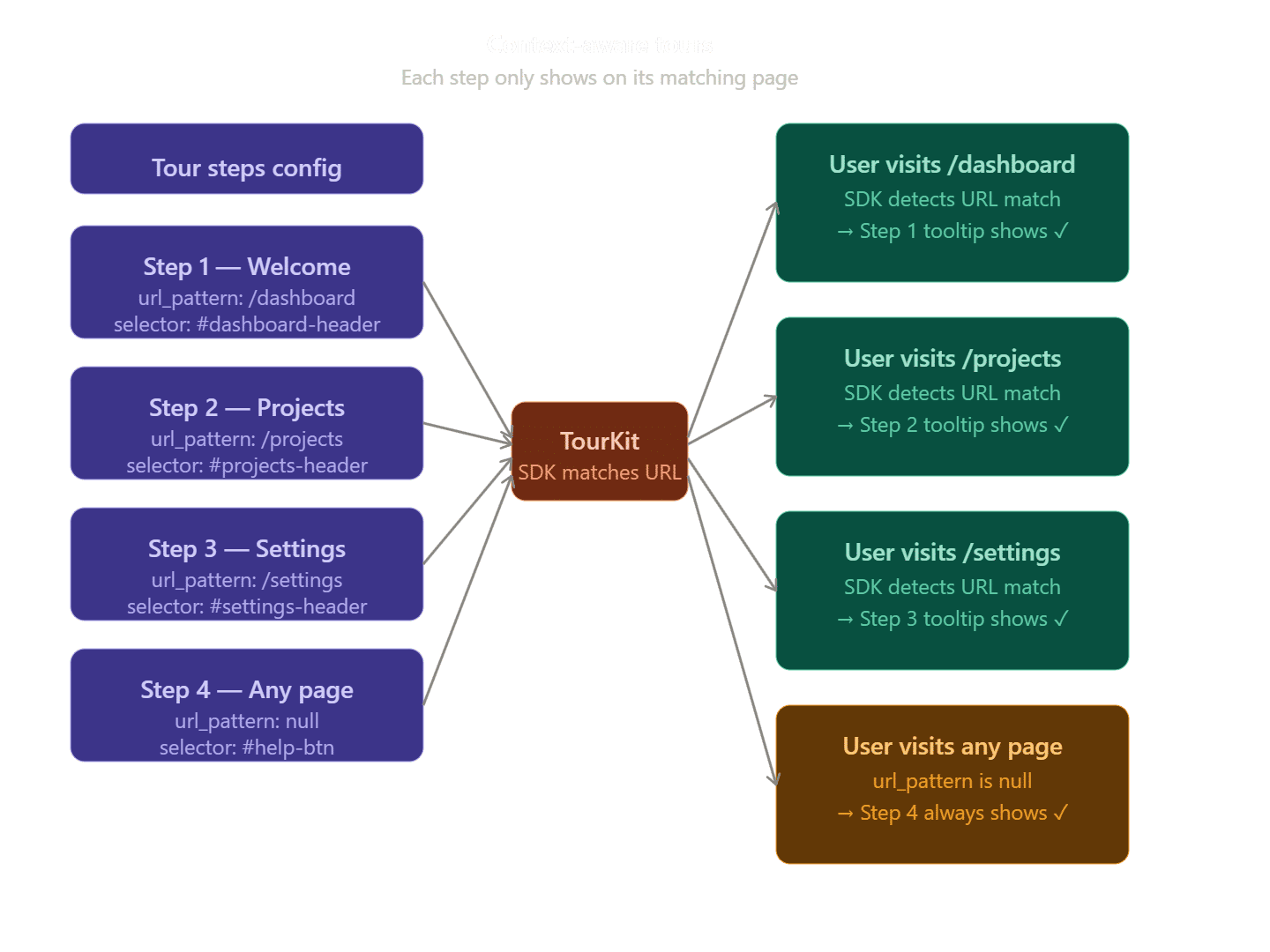
| Steps with Trigger URL | Shows only on matching path |
| Page with no matching steps | No tour shown |
Real world example
Step 1: no url → shows on / (welcome)
Step 2: no url → shows on / (feature overview)
Step 3: url = /dashboard → shows on /dashboard only
Step 4: url = /projects → shows on /projects only
Step 5: url = /settings → shows on /settings only

Result:
- / → steps 1 and 2
- /dashboard → step 3 only
- /projects → step 4 only
- /settings → step 5 only
- /other → no tour
Wildcard matching
Use * at the end for prefix matching:
/projects* matches:
/projects
/projects/123
/projects/123/edit
Dynamic URL segments
Use [param] syntax to match dynamic URL segments like IDs, slugs, and other variable path parts.
Syntax
# Exact match (default)
/dashboard           → matches /dashboard only

# Dynamic segment
/products/[id]       → matches /products/123
                     → matches /products/abc-slug
                     → does NOT match /products/123/edit

# Nested dynamic
/blog/[category]/[slug] → matches /blog/tech/my-post

# Wildcard (all sub-routes)
/dashboard/*         → matches /dashboard/anything
                     → matches /dashboard/a/b/c
Real world examples
| Pattern | Matches | Does not match |
|---|---|---|
| /dashboard | /dashboard | /dashboard/projects |
| /products/[id] | /products/123 | /products/123/reviews |
| /products/[id]/reviews | /products/123/reviews | /products/123 |
| /blog/[slug] | /blog/my-post | /blog/tech/my-post |
| /dashboard/* | /dashboard/anything | /dashboard |
Session flag behavior
When using dynamic segments, TourKit uses the pattern as the session key — not the actual URL.
This means:
Pattern: /products/[id]

User visits /products/123 → tour runs → flag stored
User visits /products/456 → flag exists → tour skips
User visits /products/789 → flag exists → tour skips
Tour shows once across all dynamic pages. ✅ This prevents users from seeing the same tour on every product, post, or project page.
Common use cases
# SaaS dashboard
/dashboard/projects/[id]        → project detail page
/dashboard/projects/[id]/analytics → analytics page

# Blog
/blog/[slug]                    → any blog post
/blog/[category]/[slug]         → categorized post

# E-commerce
/products/[id]                  → any product page
/shop/[category]/[product]      → category product
Matching priority
When multiple steps have url_patterns, TourKit matches in this order:
- Exact match (
/dashboard) - Dynamic match (
/products/[id]) - Wildcard match (
/dashboard/*)
Setup in 3 steps
- Create your steps — Add steps in the tour editor as normal.
- Set Trigger URLs — For each step that belongs to a specific page, enter the URL path in the Trigger URL field (e.g.
/dashboard). - Add TourKitProvider (React/Next.js) — If using a SPA framework, add TourKitProvider so route changes trigger the correct tour. See the React or Next.js installation guides.
Testing
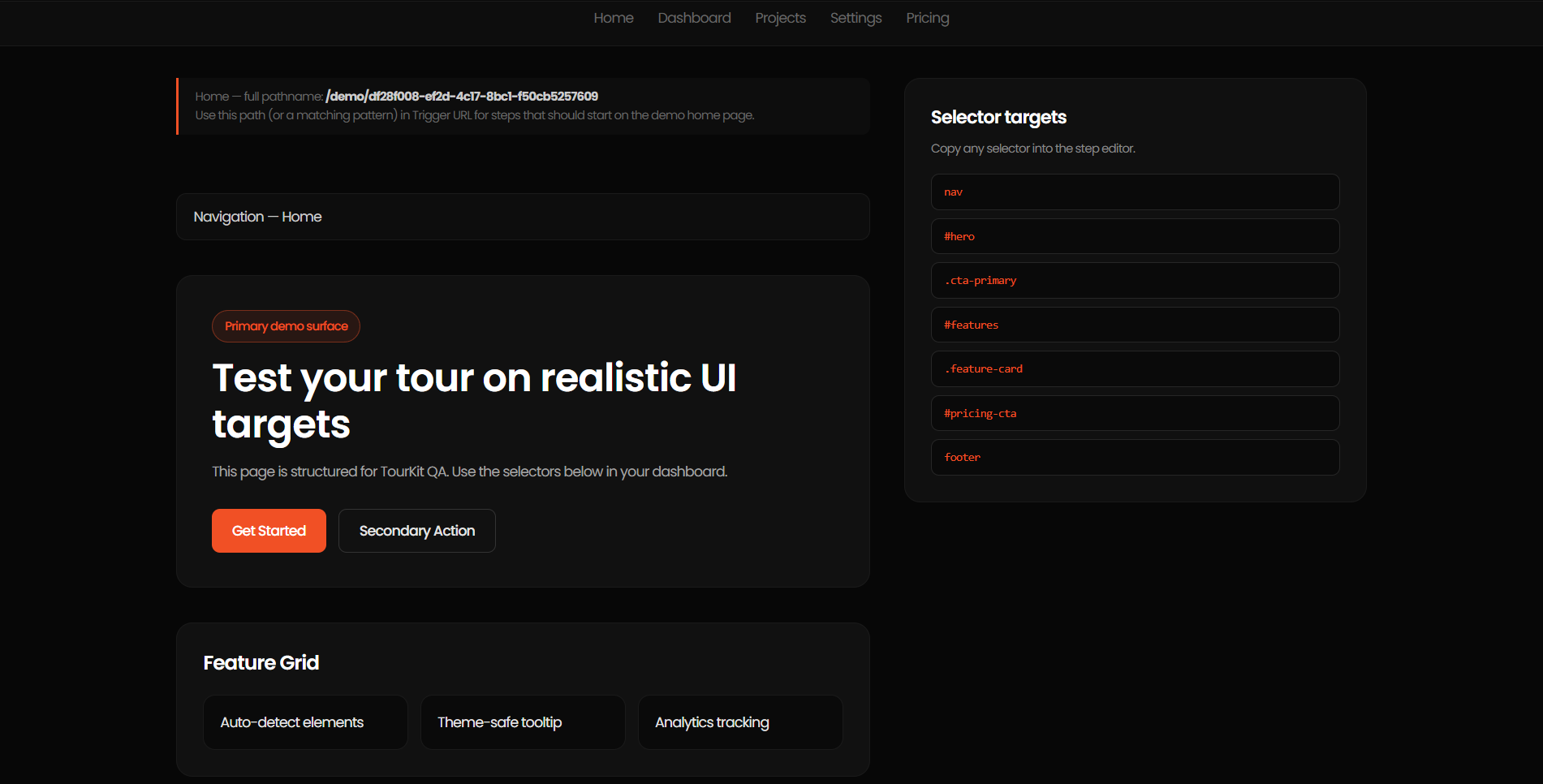
Use the Live Demo page to test context-aware tours without touching your real website:
- Go to your project → Live Demo
- The demo has multiple pages: Home (/), Dashboard (/dashboard), Projects (/projects), Settings (/settings), Pricing (/pricing)
- Set Trigger URLs matching these paths to verify each page shows the right steps
Full API reference
After installing the script tag, these methods are available on window.TourKit:
Start tour for specific page
window.TourKit.startFor('/dashboard')Start tour for current page
window.TourKit.start()Destroy active tour
window.TourKit.destroy()Reset seen flag for specific path
window.TourKit.reset('/dashboard')Reset all seen flags for this project
window.TourKit.resetAll()When to use the API
Use TourKit.startFor() in React and Next.js apps that use client-side routing. Without it, the SDK only runs on initial page load and misses route changes.